
Download Asteroid Launcher – free asteroid crash simulator, educational tool
Overview
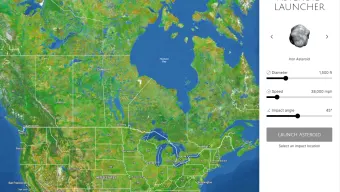
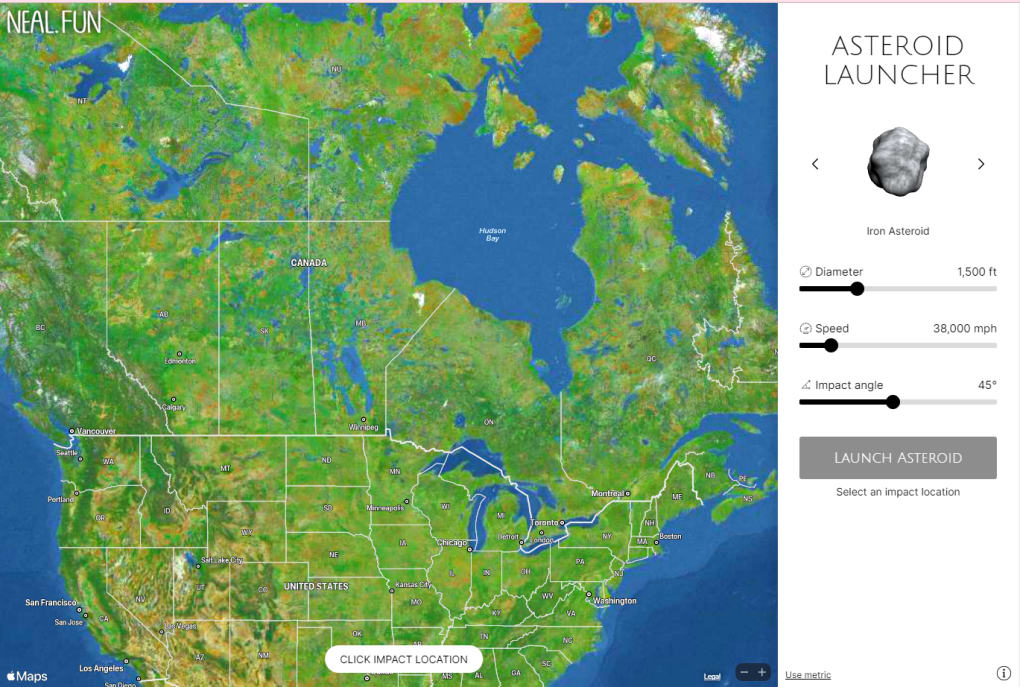
Asteroid Launcher, created by indie developer Neal Agarwal, is a free‑to‑play simulation game that puts the power of planetary impact science into the hands of anyone with an internet connection. Unlike conventional sandbox titles, this app focuses on realistic, data‑driven outcomes: you choose the size, composition, speed, and entry angle of an asteroid, then watch a sophisticated model calculate crater dimensions, fireball intensity, shock‑wave pressure, wind speeds, and even the magnitude of any induced earthquake. The visual interface is a high‑resolution world map that lets you manually scroll to any region—no typed search bar, but an intuitive drag‑and‑zoom system that reveals topography, city outlines, and population density as you get closer.
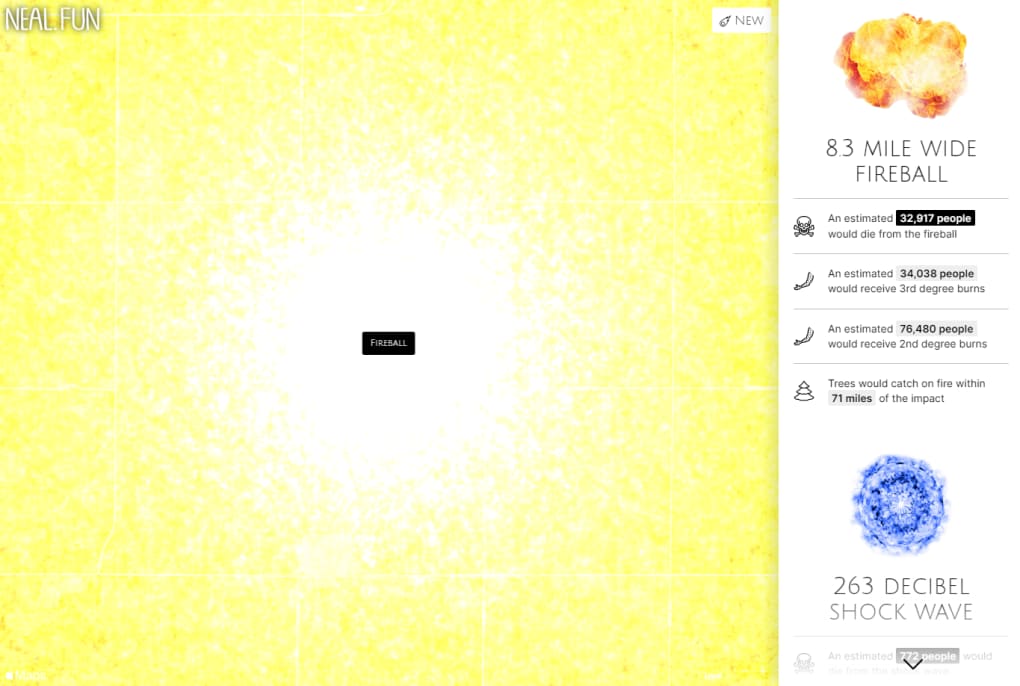
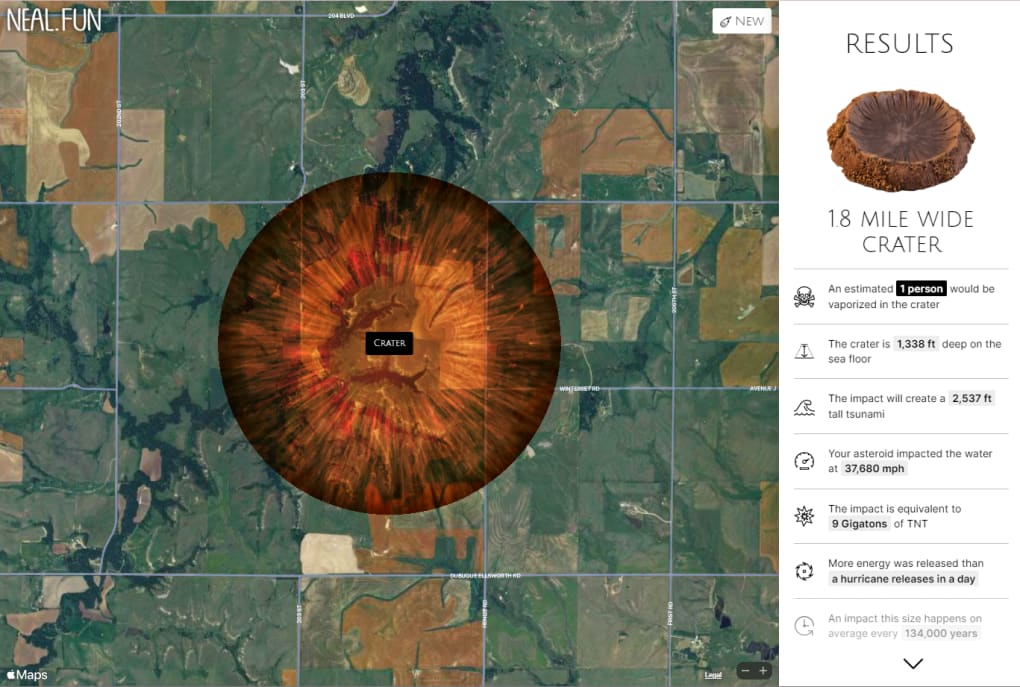
Once an impact is launched, the game delivers a detailed breakdown: how many people live in the blast radius, which infrastructure would be destroyed, and what secondary effects (like tsunamis for coastal strikes) might follow. Because the calculations are based on publicly available scientific research, the experience feels both entertaining and educational, making it a useful tool for teachers, students, or anyone curious about planetary defense. The simulation can be run endlessly, allowing you to compare outcomes from a tiny meteoroid to a continent‑shattering body, and to experiment with “what‑if” scenarios such as a glancing blow versus a direct hit.
While the map navigation can be a bit fiddly at first, the reward is a surprisingly deep insight into the catastrophic potential of space‑borne objects—delivered in a sleek, browser‑based format that runs without any downloads or installations.
Key Features & Educational Value
- Full control over asteroid parameters – size, composition, velocity, and impact angle.
- Real‑time scientific calculations for crater diameter, fireball temperature, shock‑wave pressure, wind speed, and earthquake magnitude.
- High‑resolution, zoomable world map with city boundaries and population data for impact assessment.
- Detailed post‑impact report showing affected population, infrastructure damage, and secondary hazards.
- Unlimited simulation runs – experiment with multiple scenarios without any cost.
- Responsive web design that works on desktop browsers and mobile devices.
- Educational mode with simplified explanations of each scientific metric.
- Exportable results – copy the data to a document or presentation for classroom use.
Each of these features is designed to bridge the gap between fun gameplay and authentic scientific learning. By allowing players to manipulate asteroid characteristics, Asteroid Launcher demonstrates how minor changes—like a 10 % increase in speed—can dramatically amplify the kinetic energy released on impact, a concept that is often abstract in textbook diagrams. The map’s visual fidelity, especially when zoomed in, showcases real‑world geography, making the devastation feel tangible: you can see a metropolis shrink under a crater, or watch a coastline inundated by a tsunami generated by an offshore strike.
The post‑impact analytics go beyond simple numbers; they contextualize the data with plain‑language explanations, turning raw figures into an understandable narrative. This makes the tool ideal for high‑school physics classes, university astronomy seminars, or even casual STEM outreach events. Moreover, because the simulation runs entirely in a web browser, there is no need for heavy installations or licensing fees, keeping the barrier to entry low while still delivering a premium, data‑rich experience.
Installation, Setup, and How to Play
Getting started with Asteroid Launcher is intentionally straightforward. Since the game is hosted as a web application, there is no traditional download or installation process; you simply navigate to the official URL on a modern browser (Chrome, Firefox, Edge, or Safari) and the interface loads instantly. For users who prefer a desktop shortcut, you can create a Progressive Web App (PWA) by clicking the browser’s “Install” button—this pins the app to your start menu or dock, giving it an app‑like appearance while still running offline‑capable code.
Once the page loads, you’ll see a world map centered on a default region. Use your mouse or touch gestures to pan and zoom until you locate an area of interest. Because there is no search bar, you’ll need to manually navigate, but the map’s smooth rendering and satellite‑style tiles make it easy to recognize continents, major cities, and coastlines.
After selecting a target zone, click the “Launch” button to open the asteroid configuration panel. Here you can adjust four primary sliders: Size (from a few meters to several kilometers), Composition (rocky, metallic, icy), Speed (typical meteoroid velocities up to 70 km/s), and Impact Angle (steep vs. shallow entry). Each slider is accompanied by a brief tooltip explaining its real‑world significance.
When you’re satisfied with the settings, press “Fire”. The simulation animates the asteroid’s descent, followed by a high‑speed impact sequence. After the visual finishes, a comprehensive report appears on the right side of the screen.
This report lists the crater size, fireball radius, peak overpressure, wind gusts, seismic magnitude, and a population impact estimate. You can click “Export” to copy the data to your clipboard or download a PDF summary for later reference. To run another scenario, simply click “Reset” and repeat the process.
The entire workflow—from map navigation to result export—typically takes less than two minutes, making it ideal for classroom demos or quick personal experiments.
Compatibility, Pros & Cons
Asteroid Launcher is built with HTML5, WebGL, and JavaScript, ensuring broad compatibility across operating systems. It runs natively on Windows 10/11, macOS (Catalina and later), Linux distributions with a modern browser, as well as mobile platforms like Android 8.0+ and iOS 13+. Because the application is cloud‑hosted, there are no heavy system requirements; a stable internet connection and a device capable of rendering 3D graphics are sufficient. The responsive design automatically adapts to different screen sizes, offering a full‑featured experience on desktops, tablets, and smartphones.
Pros
- Free and instantly accessible—no download or registration required.
- Scientifically accurate calculations based on real asteroid impact research.
- Highly customizable asteroid parameters for limitless scenario creation.
- Educational explanations that demystify complex physics concepts.
- Responsive UI works on both desktop and mobile devices.
- Exportable results make it easy to share findings in reports or presentations.
Cons
- Map navigation lacks a search box, requiring manual scrolling to locate specific locations.
- Graphics are functional but not photorealistic; the focus is on data rather than visual fidelity.
- Heavy reliance on an internet connection; offline functionality is limited to the cached PWA version.
- Advanced users might wish for deeper customization (e.g., atmospheric composition, planetary rotation).
Asteroid Launcher excels as an educational sandbox, turning complex impact physics into an interactive playground. Its free, web‑based nature lowers the barrier for teachers and hobbyists alike. While the UI could benefit from a location search feature, the depth of data and ease of use make it a standout tool for anyone curious about planetary defense.
FAQ & Conclusion
Is Asteroid Launcher really free?
Yes, the entire simulation runs at no cost. There are no hidden fees, subscriptions, or in‑app purchases.
Do I need to install any software?
No installation is required. Asteroid Launcher runs directly in a web browser. For a more app‑like experience you can install it as a Progressive Web App (PWA).
How accurate are the impact calculations?
The game uses publicly available scientific models that factor in kinetic energy, material density, and atmospheric entry dynamics. While it simplifies some variables for performance, the results are comparable to academic impact calculators.
Can I use Asteroid Launcher for classroom lessons?
Absolutely. The built‑in educational mode provides plain‑language explanations, and the export feature lets teachers save reports for worksheets or presentations.
Is the simulator available on mobile devices?
Yes, the responsive design works on Android and iOS browsers. Touch gestures replace mouse controls for panning and zooming.
Asteroid Launcher delivers a rare combination of entertainment and authentic science, letting anyone—from curious teenagers to seasoned educators—experiment with the forces that shape our planet. Its free, browser‑based accessibility, robust data output, and intuitive controls make it a valuable addition to any STEM toolkit. Whether you want to illustrate the devastation of a city‑smashing impact or simply satisfy a curiosity about space rocks, Asteroid Launcher provides a safe, engaging sandbox for endless exploration.
Ready to launch your own asteroid? Visit the official site, pick a spot on the globe, set your parameters, and see the results instantly. Dive in now and turn abstract astrophysics into a hands‑on learning adventure.



.png)



